Step #1
Find the Right Job or Service, Fast!
- For Freelancers: List your services, browse available jobs, and submit tailored proposals that highlight your expertise.
- For Employers: Explore a wide range of freelancer services or post your project as a job fixed-price, milestone-based, hourly, or custom.

Step #2

Connect and Collaborate Seamlessly
- Schedule meetings and sync with your calendar for better collaboration.
- Discuss project scope, milestones, or hourly tasks with clarity.
- Use our secure messaging system to ensure privacy and effective communication throughout the process.
Step #3
Hire, Complete, and Review
- For Freelancers: Deliver top-notch work, request milestone approvals, or log hourly work. Ensure client satisfaction and maintain transparent communication.
- For Employers: Hire the freelancer and pay securely using our platform. Track progress and provide feedback as milestones are achieved or the project is completed.

How to Guide
Step-by-step process for Freelancers and Employers
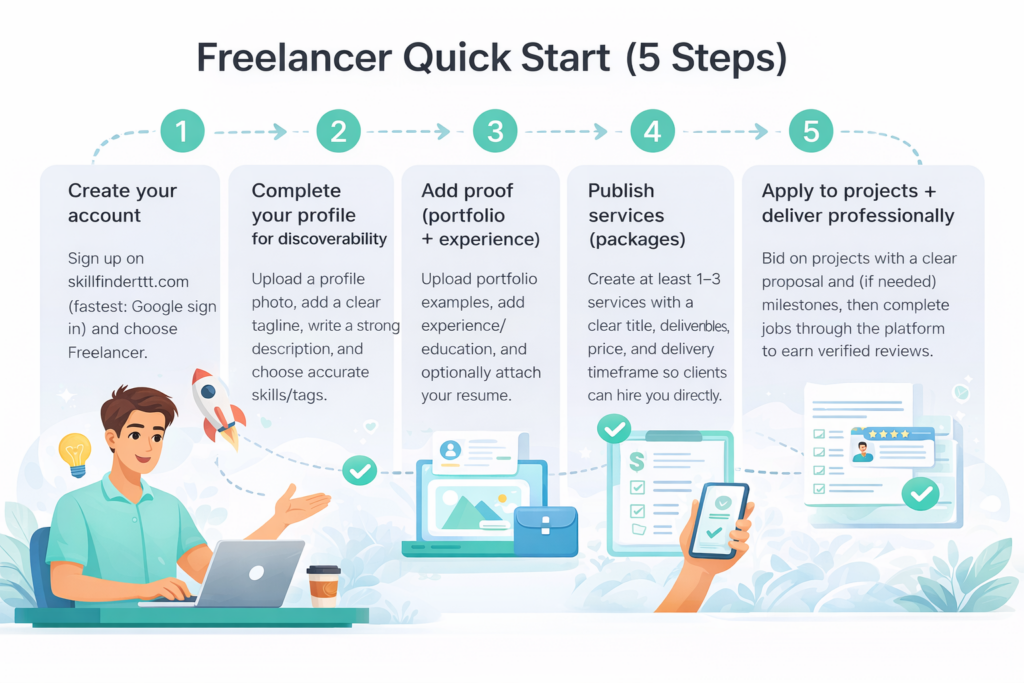
How to Create an Account
- Click Register (fastest method: Sign up with Google)
- Choose Freelancer (you can switch roles later if needed)
Profile Setup Checklist
- Upload a Profile Photo (Required)
- Add a Clear Tagline/Profession
- Write a Strong Description
- Choose Your Skills/Tags Carefully (Critical)
- Add Portfolio, Resume, Experience (Recommended)
Creating Services
Services are pre-defined offerings with: title, description, price, delivery timeframe, and optional tiers (basic/standard/premium).
Example service:
- Title: “Basic Graphic Design Package”
- Deliverables: “10 pieces of artwork”
- Price: $1,000
- Delivery: 1 month
Clients can purchase/hire directly from your service listing
Applying for Projects
- A client posts a project (title, budget, timeline, category, description)
- Clients can invite freelancers to bid based on matching skills/tags
- You receive a notification (and email backup if you don’t log in)
- You submit your bid amount, your proposal message, and optional milestones (if enabled by the project)
Milestones
For larger jobs, you can break work into parts (milestones) and align payments to each stage. This helps keep scope clear, reduce misunderstandings, and make long projects easier to manage.
Reviews and Ratings
After a job is completed, employers can leave reviews/ratings. Reviews are tied to actual hiring activity (not random public comments), which supports credibility.
Getting Paid
Withdrawals can be sent to your chosen payout method/bank account.
Payout timing: a short processing window may apply to confirm completion / allow dispute window. Typical timeframe: 5–7 business days, with a best-case scenario sometimes faster.
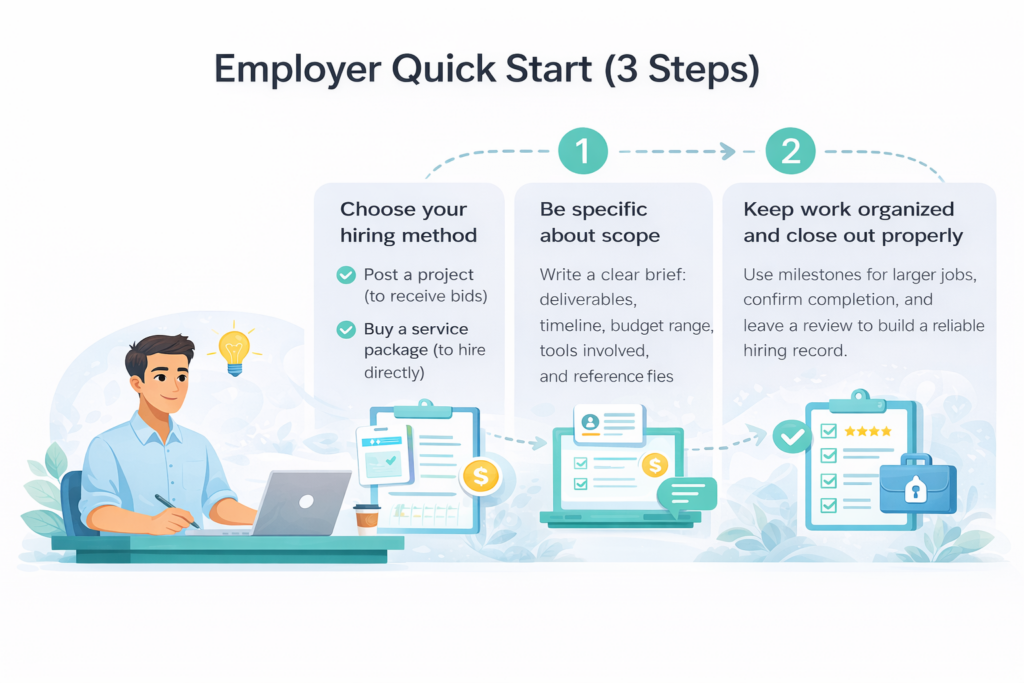
How to Hire (Option 1: Post a Project)
- Switch your profile to Employer (or register as Employer)
- Click Create a Project
- Add project details
- Review suggested freelancers and invite them to bid
Tip: The clearer the project brief, the better the bids you receive.
How to Hire (Option 2: Buy a Service Package)
If a freelancer has a service listed (package), you can purchase/hire directly through that service.
Write a Good Project Brief
Include:
- What you need done (deliverables)
- Deadline / timeline
- Budget range
- Tools/platforms involved (WhatsApp, email, Google, etc.)
- Any reference files/images/examples
Brief template:
“Hi, I’m looking for help with _____. I need it done by _____. My budget range is _____. Tools involved: _____. Please confirm availability and cost.”
Milestones
For bigger projects, milestones keep the job organized and reduce disputes by clarifying deliverables per stage.
Reviews and Ratings
Reviews are tied to actual hiring activity on the platform (not random public comments), which supports credibility when hiring.
Frequently Asked Questions
Do I need a profile photo to appear in search?
Yes, not uploading a photo may prevent you from appearing in freelancer listings/search results.
What makes a freelancer profile more discoverable?
Skills/tags are especially critical because they drive search and project matching. A clear tagline, strong description are important to establish a strong first impression.
What’s the difference between posting a project and buying a service package?
Posting a project lets you receive bids and compare proposals. Buying a service package lets you hire directly from a freelancer’s predefined offering.
Getting Paid
Withdrawals can be sent to your chosen payout method/bank account.
How long do payouts take?
Timeframe is typically 5–7 business days, with best-case sometimes faster.
Can my profile be used like a mini-website
Yes, your profile allows you you populate it is all relevant information regarding your professional life. Links can also be generated and shared as desired.
Fees and Commissions - Employers
Employer processing fee of 3% of each transaction plus $0.25 (USD) per transaction. Commission fees are 0% until April 30, 2026. Afterward, a 2% commission will apply to each hire, in addition to the processing fee.
Fees and Commissions - Freelancers
Freelancers fee is 0% until April 30, 2026. Afterwards, a 2.5% fee will be charged on project earnings.